Introduction
represents an easy access to all enterprise services for both employees and managers. It offers resources to help users resolve their issues and gives the managers a complete overview of various business data.
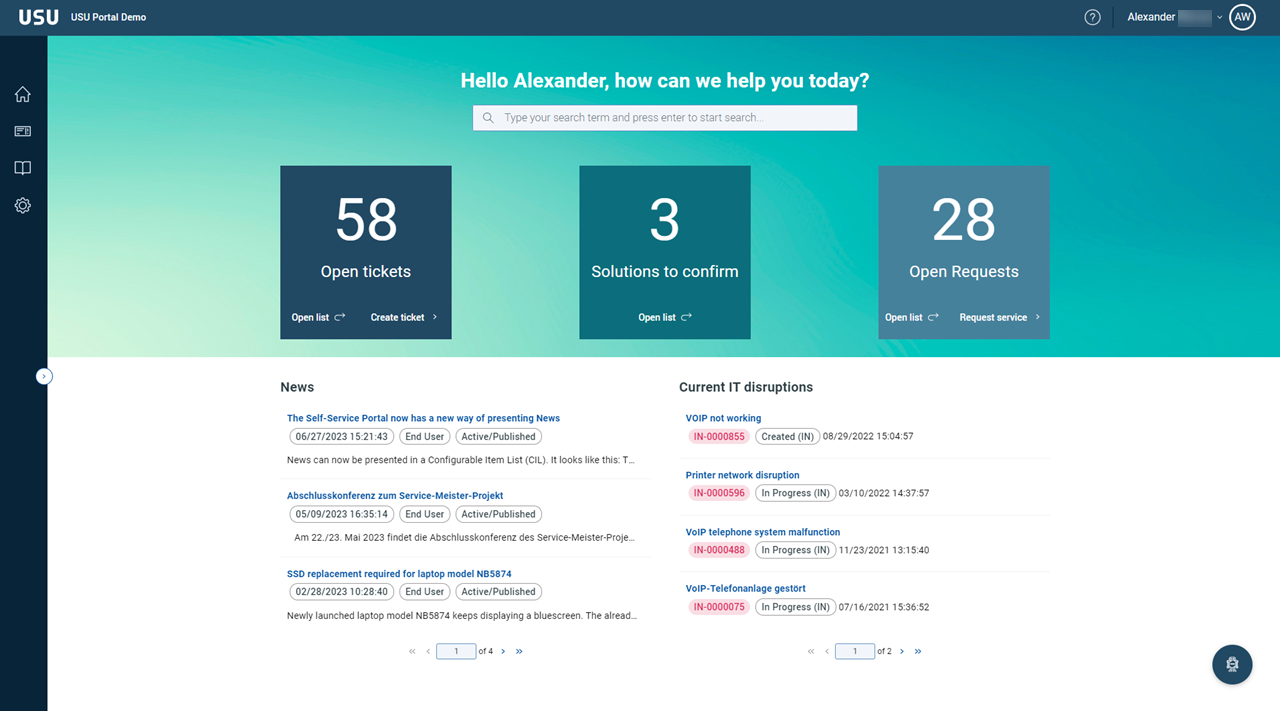
The can also be seen as an entry point into other products of the USU group. It acts as a common front end for an easy access to various source systems that can bundle information depending on different use cases.
This manual consists of the following sections:
Introduction
Learn about the Self-Service Portal essentials.
Terms
A summary of the basic terminology and an explanation of the target groups.
Main elements of the Welcome Page
GUI elements and the basic operations.
Working with the Self-Service Portal
Various tasks performed by the users and managers.
Note
You can always return to the Welcome Page by clicking the USU logo in the toolbar.
The following formatting conventions are used:
Words in font
Names of actions, parameters and attributes; GUI buttons and keyboard keys.
Names of editors and catalogs; windows and dialog windows; window sections; menus, widgets.
Product and company names, important words which need to stand out.
Words in font
Parameter values, attribute values, statuses
Words in
code-likeformatCode examples
Please note that all examples and screenshots shown here are for illustrative purposes only. The actual product may vary due to the individual product customization.
Version
Version info: Application v 3.1.0 / Help v2.11.0