Navigation menu
The expandable vertical menu on the left side contains two default items if you have the corresponding admin rights: Online Help and Administration. Home, Tickets and Self service are part of the USU standard package content.
Note
The toolbar and the navigation menu don't specifically belong to the Welcome page. They are the basic Portal components and are always available.
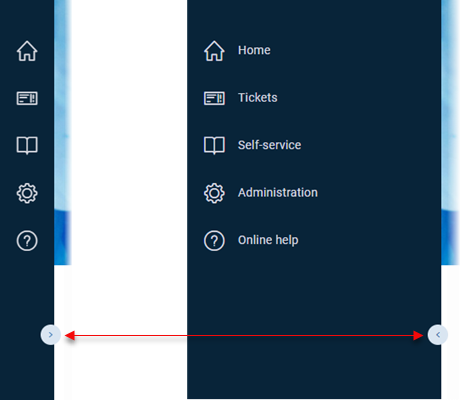
Click the arrow symbol on the vertical line to expand and collapse the menu panel.
Home | Takes you to the starting point of the Self-Service Portal, which is usually the Welcome Page. |
Tickets | Contains the dashlets related to ticketing. You can see the and work with a list of open tickets, solutions to confirm or all tickets with all the details. |
Self-service | Lists all the predefined Portal pages for both the end-users and the managers depending on the individual rights. Here you can switch between the manager and end-user self service welcome pages. |
Administration | Contains specific administrator settings, i.e. those which can be administered directly here in the application: A Page designer, Dashlet editor, Drawer editor, Global configuration, Toolkit, User management and Instances. Note that end users will not see this menu entry. See the USU Self-Service Portal admin documentation for a full description of these items. |
Online help | Opens a new browser window with the Self-Service Portal online help. |
Note
The overall menu structure can be also individually customized by the administrators.