Confirming and rejecting a ticket solution
The number of resolved tickets (incidents and service requests) is displayed on the Solutions to confirm tile. Thus, when the service desk comes up with a ticket solution, you can check the tile to see the update immediately, open the ticket solution, confirm it or reject it.
To confirm a ticket solution:
Go to the Solutions to confirm tile.
Click .
Solution to confirm dialog opens.
This dialog is split in two parts: Tickets with solutions for confirmation and My resolved service requests for confirmation. The former stands for the incidents and the latter for the service requests so that you can clearly filter out either the incidents or service requests for the confirmation.
Tip
You can quickly search in the ticket lists. See Searching in the customizable item list and Customizable item list.
If a ticket is in the
User informed (IN)status, you can confirm it.Click the selected ticket.
The ticket opens in a detail view where you can see the proposed solutions.
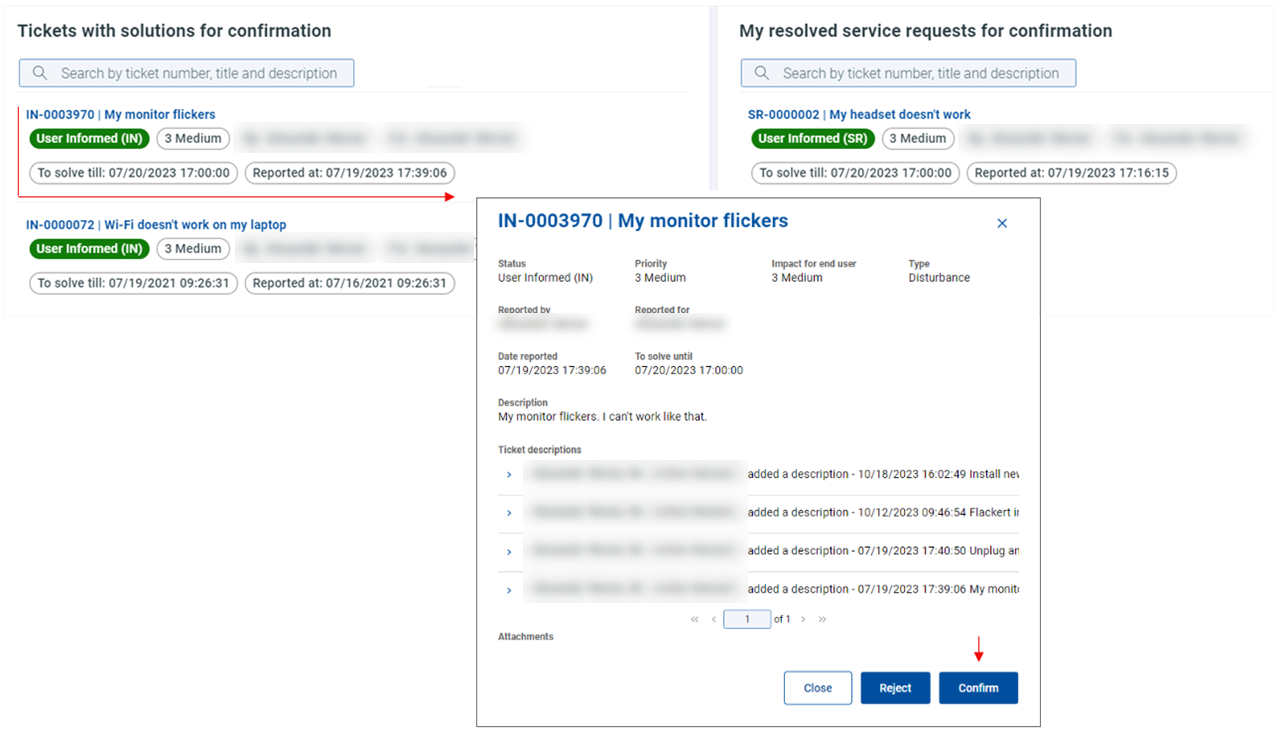
Click Confirm.
The ticket closes immediately.
To reject a ticket solution:
Go to the Solutions to confirm tile.
Click .
Solution to confirm dialog opens.
This dialog is split in two parts: Tickets with solutions for confirmation and My resolved service requests for confirmation. The former stands for the incidents and the latter for the service requests so that you can clearly filter out either the incidents or service requests for the rejection.
If a ticket is in the
User informed (IN)status, you can reject it.Click the selected ticket.
The ticket opens in a detail view where you can see the proposed solutions.
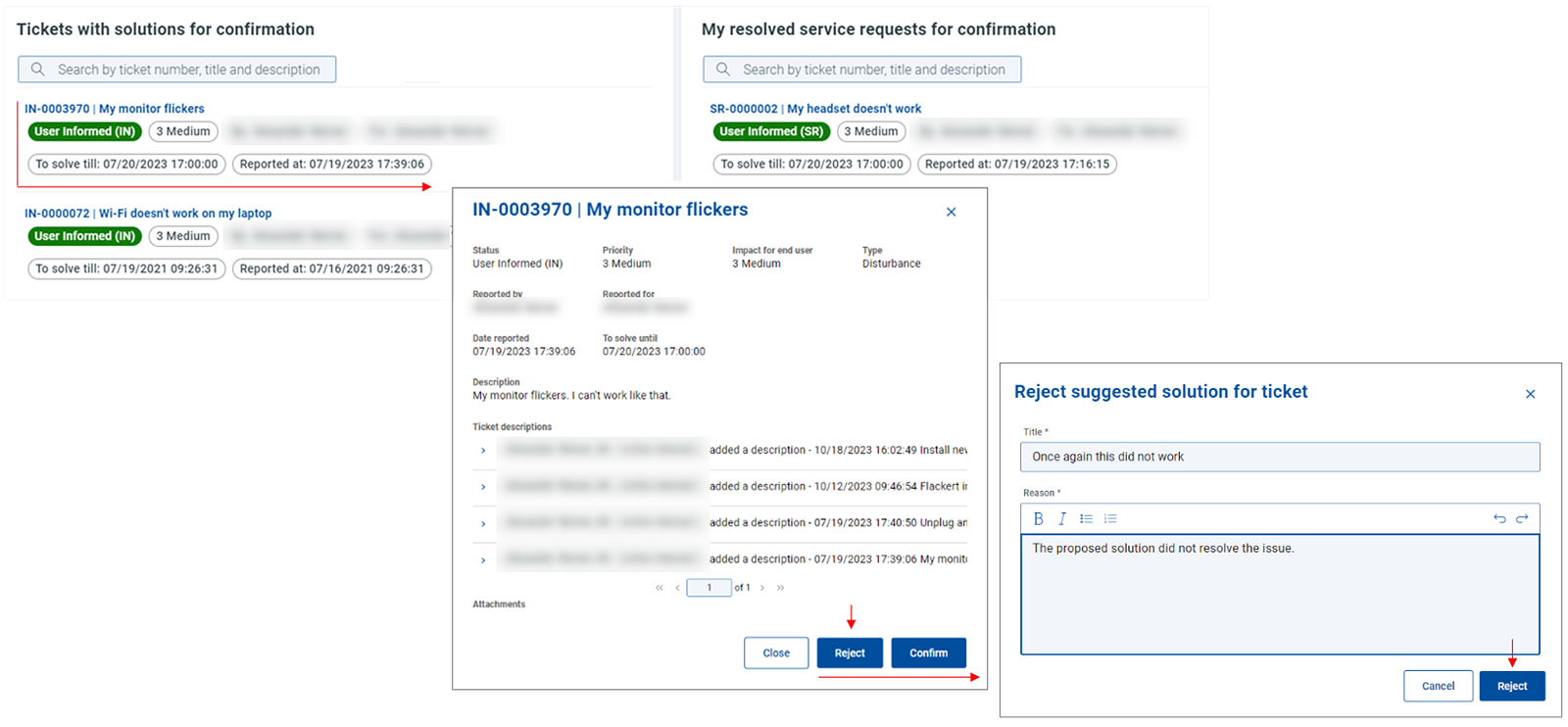
Click Reject.
The Reject suggested solution for a ticket dialog opens.
Fill in the reason for rejection.
Click Reject.
By rejecting the ticket solution:
The ticket removed from the My resolved tickets dialog and gets back into the My open tickets list.
The status changes to
User Not Accepted (IN).The service desk has to investigate it again.