Opening the service shop for creating a service request
You can open USU Shop from the Self-Service Portal from three places:
The Open requests Info tile
The Overview of my requests dialog
The Request detail view
The following use case encompasses all of these options.
To open the service shop from the Self-Service Portal:
Go to the Open requests Info tile.
Here you can already click to call the USU Shop.
Click .
The Overview of my requests dialog opens.
Here you can also click Request service to call the USU Shop.
Click the selected request.
The Request detail view opens.
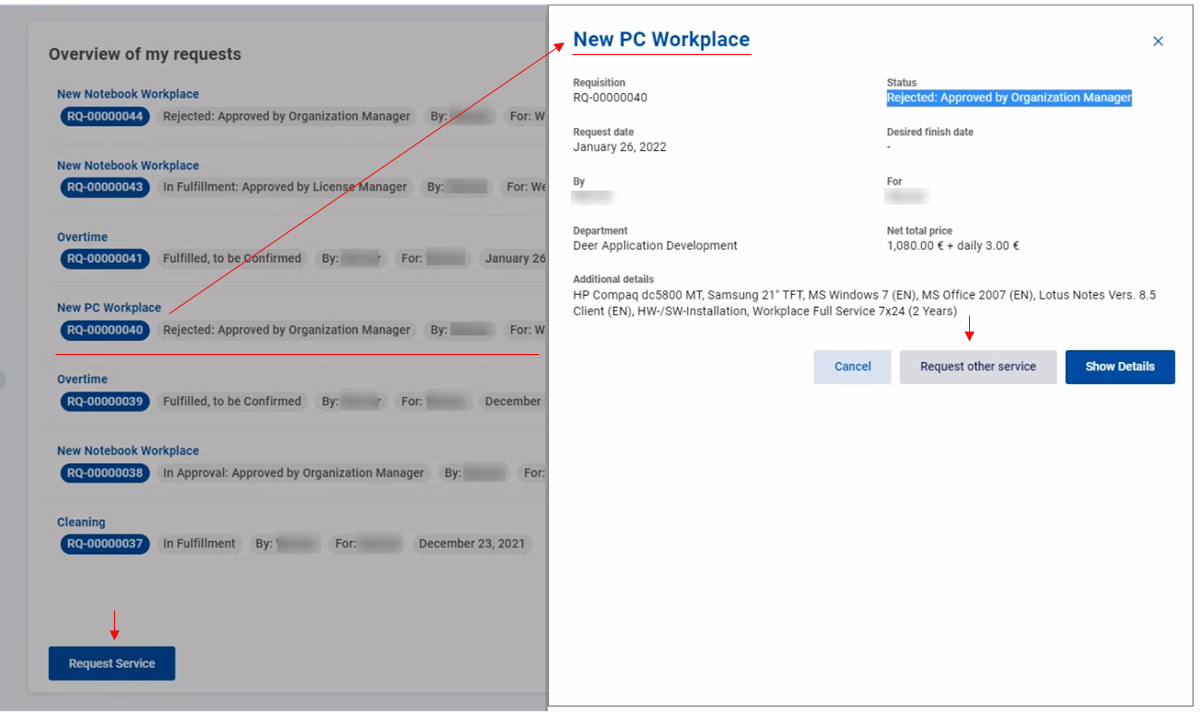
Check the request details such as the status, request dates and other additional information.
Click Request other service to call the USU Shop.
Click Show details to call USU Service Management.