Offer categories
Each offer in the Shop belongs to an offer category. Offer categories form a three-tier hierarchical structure facilitating easy navigation in the Shop content.
Note that the categories and category structure in this user manual depict demo data supplied by the manufacturer. The actual categories in your shop will differ.
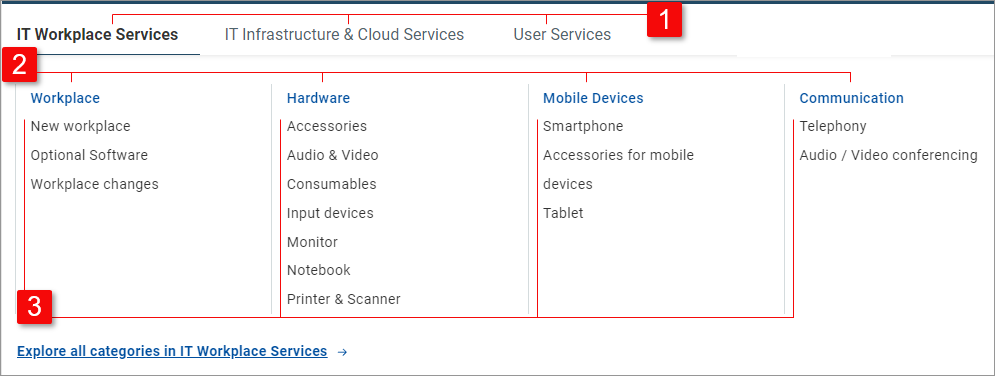
| The Navigation menu bar contains top level categories.
|
| 2nd level categories are displayed in blue font at the top of the categories dropdown.
|
| 3rd level categories are listed in black font underneath their respective 2nd level category.
|


at the top of workspace pages are a great tool for navigation. In most Shop pages, they facilitate navigation among categories.
Numbers in the example image above correspond to category levels described for the categories dropdown. The example offer (65W Universal Power Supply) is listed under 3rd level category which falls under 2nd level category which belongs to the top category.
Click a breadcrumb element to open the corresponding category level in a category page.
Each category can be opened in a category page providing a complete overview of its subcategories and all related offers. The structure and content of a category page differ slightly depending on the level of the category.
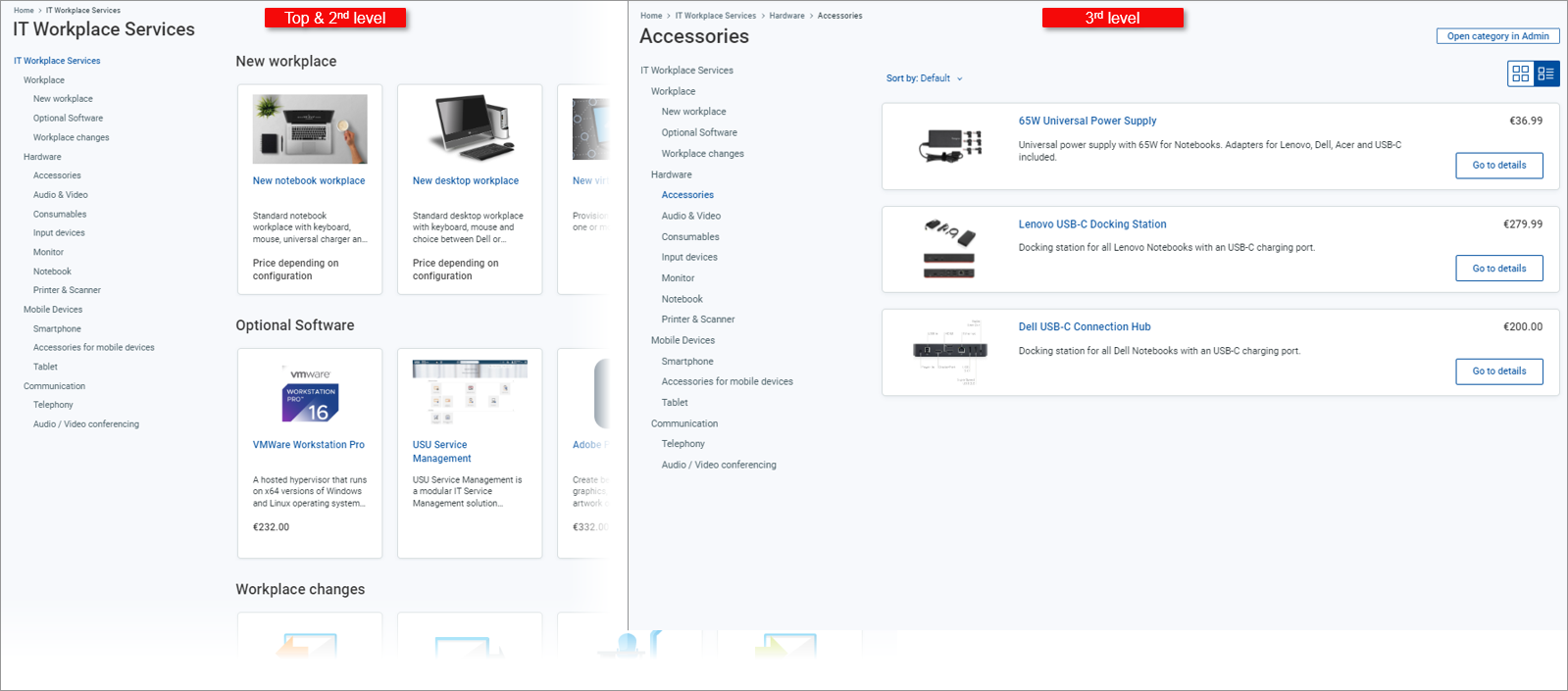
Top category | : Lists all 2nd level (blue font) and 3rd level (black font) categories belonging to the top level category.
: Displays tiles for offers belonging to all 2nd level categories under the top level category, grouped horizontally by their 3rd level category.
|
2nd level category | : Lists all 3rd level categories belonging to the 2nd level category.
: Displays tiles for offers belonging to the 2nd level category, grouped horizontally by their 3rd level category.
|
3rd level category | : No sidebar is displayed in a 3rd level category page. : Displays tiles or rows for all offers belonging to the 3rd level category.
|
Note that the number of offers listed in a category may drop after you switch to a currency different than the default Euro. This is due to currency-related offer availability described in the Work with multiple currencies topic.