Create/Edit parameters
This topic describes creation and editing of configuration elements of the parameter type.
Starting points:
Click button in the expandable section to open the Create configuration element dialog. Select as Configuration element type, then select the Parameter type you want to create. See Offer parameters and Value and dependencies for available parameter types.
Click a configuration element of parameter type in the expandable section to open the parameter for editing in the Edit configuration element dialog.
Specify or edit parameter attributes
General attributes
Essential parameter attributes common to all parameter types.
Internal name | Internal name of the configuration element used as element identification in the fulfillment process. Must be unique within the offer. Invisible to the end user. Note that internal name can consist only of the following characters: a-z, A-Z, 0-9, _ and - |
Label | Configuration element label displayed to the end user. |
Visible | Visibility flag. Set to to make the element visible to the end user. |
Mandatory | Mandatoriness flag. Set to to make the element mandatory. Not relevant for some parameter types. |
Values and dependencies
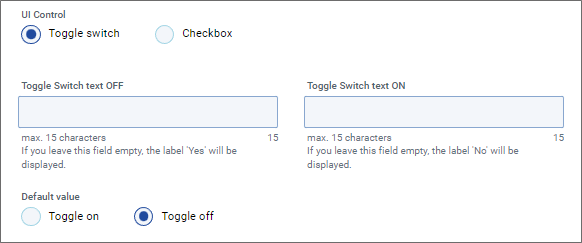
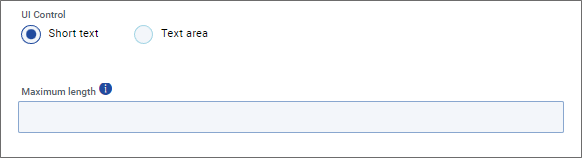
The main set of parameter attributes, specific to each parameter type. Refer to the expandable images below to see which attributes are available for individual parameter types.

Parameters of type Business object (also called 'Entity parameters') take actual objects stored in the USU Service Management database as their values. The Values and dependencies section of these parameters is described in more detail in a dedicated topic below.
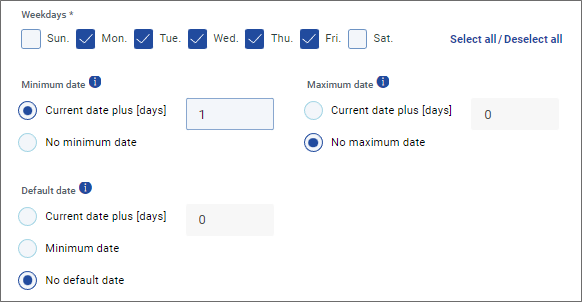
Notes: and optionally specify the earliest/latest selectable date.

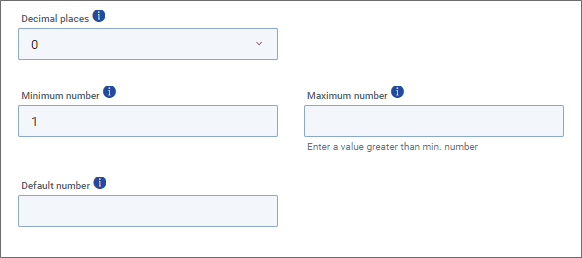
Notes: Attribute specifies maximum of accepted decimal places in the entry.
makes it possible to structure the section of Offer detail by inserting a header text accompanied by a thin horizontal line.
The parameter thus requires only the following attributes: , , . Use to enter the header text displayed with the divider horizontal line.
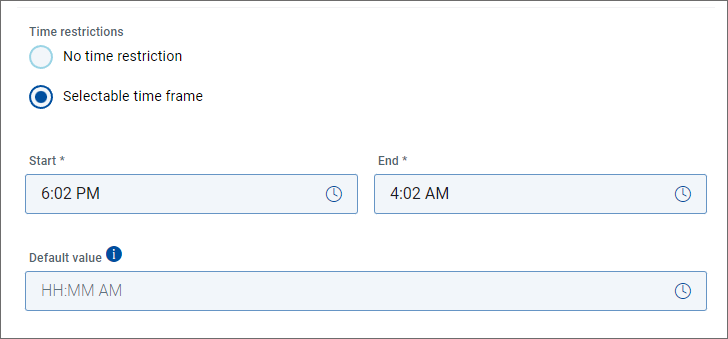
Time restrictions | It is possible to define an interval of acceptable time values which the user can enter.
|
Start * End * | If Selectable time frame is chosen, use the and fields to specify the interval of acceptable values.
|
Default value | Optionally specify a default value for the time parameter. |
End user perspective: The user can only enter a time value within the specified time frame. If time outside the acceptable interval is entered, the user is informed about the error and the offer cannot be submitted.
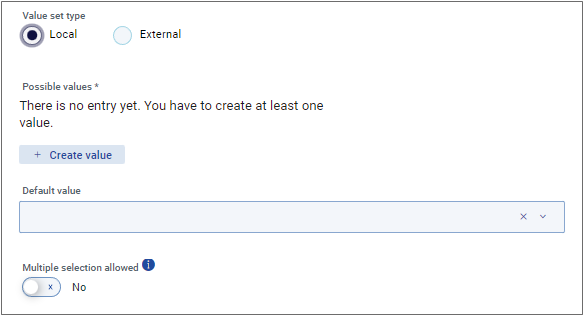
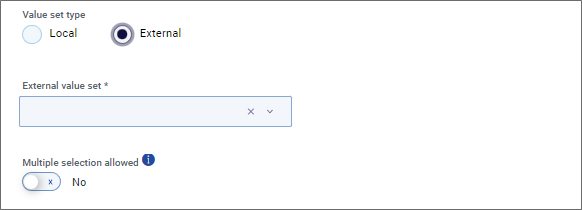
Two types of value set can be used:
Local value set - value set created specifically for use with the parameter. Makes it possible to create, reorder and delete your own values.
External value set - value set taken over from .
Helps and hints for end user
Optional parameter attributes common to almost all parameter types.
Helper text | Explanatory text displayed below the input field. Not relevant for parameter type Boolean. |
Tooltip headline | Tooltip title displayed at the top of the field's on-click tooltip. |
Descriptive tooltip text | Main text displayed in the field's on-click tooltip. |
Placeholder | Grayed out explanatory text displayed in the parameter field until a value has been specified. Relevant on for parameter types Business object, Text, Value set. |
Textual attributes of offer parameters can be translated. See the Localize configuration elements topic for more information.