Cart page
The Cart page is your virtual shopping cart. Use it to:
View the content of your current request ready for submission
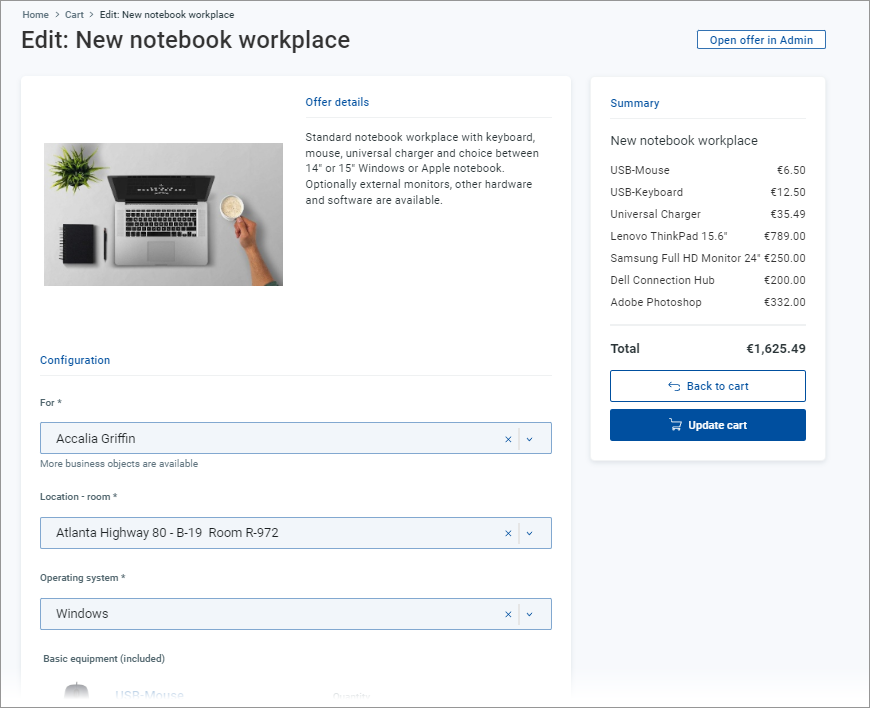
Edit your request - remove items, open individual items for additional configuration
Submit your request
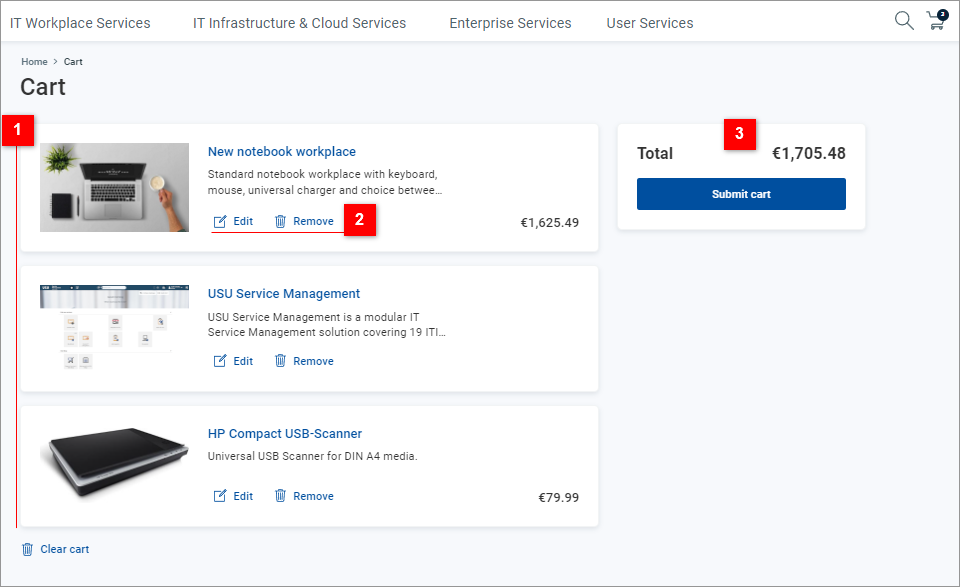
| Inspect the content of your cart - individual items are listed with their graphical representation, a short description and price (if applicable). |
| For individual items:
|
| Use the section to view the total price (and total periodical costs, if applicable) of your request, then click to finalize the request. You will be presented with a confirmation dialog, where:
|


The Offer detail page opened from the cart can be used for additional configuration changes. See point 2 above.