Deactivated Items
On the rare occasion when
one or more items which you had placed in the cart have been deactivated (removed from offering), or
you have switched to a currency in which one or more cart items are not available
during the time between your putting them in the cart and actual cart submission, you will be presented with the following message:
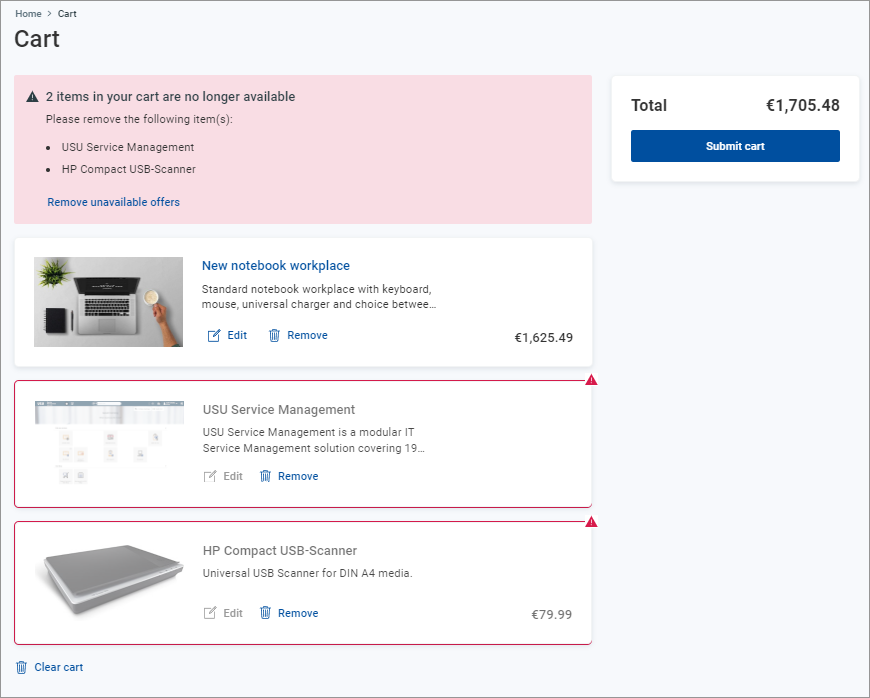
In this case:
Use the link in the message text to remove all deactivated offers from the cart. (Applies only if multiple items in your cart have been deactivated.)
Use the action available for each cart item to remove individual offers.
Now you can replace the removed items by other offers fitting your needs and/or proceed to checkout.